Introduction
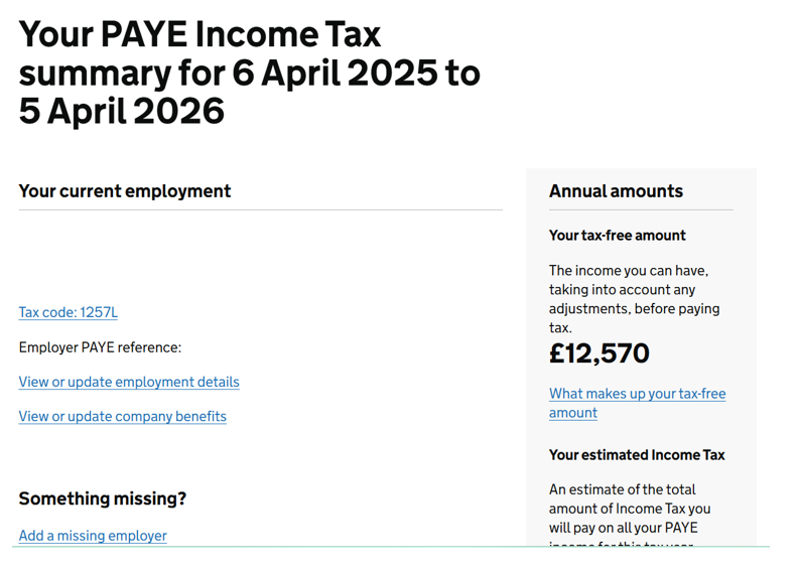
An HMRC Personal Tax Account is a useful facility that you can use to check that the records held by HMRC match the details on the payslips you are provided by Hypay, or anybody else you work for. This includes details such as the name of the company engaging you and the values of pay received and tax deducted.
You may already have registered for one, if not we recommend doing so. A Personal Tax Account has other useful features, such as being able to review your tax code and state pension forecast.
This guide takes you through the steps to register for an Account and then how to check your records.
Setting Up
Follow all the steps noted below to register for your Personal Tax Account.
Start Registration
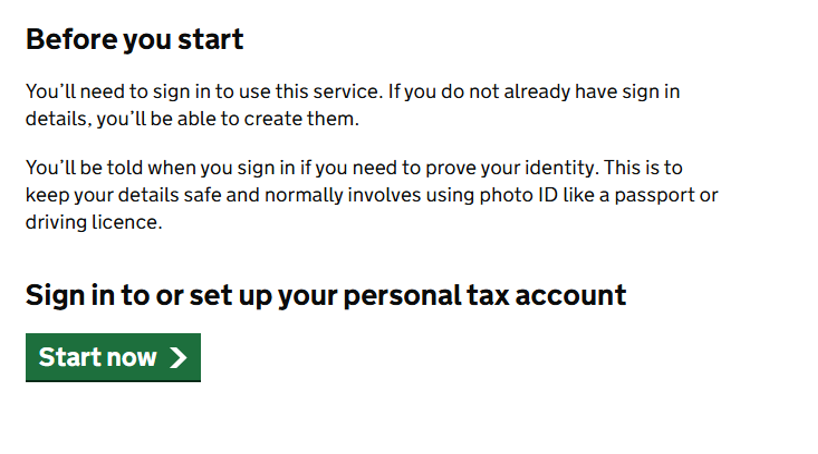
Go to the following website to set up your personal tax account: https://www.gov.uk/personal-tax-account
Scroll down and click “Start now”.
Create Sign In Details
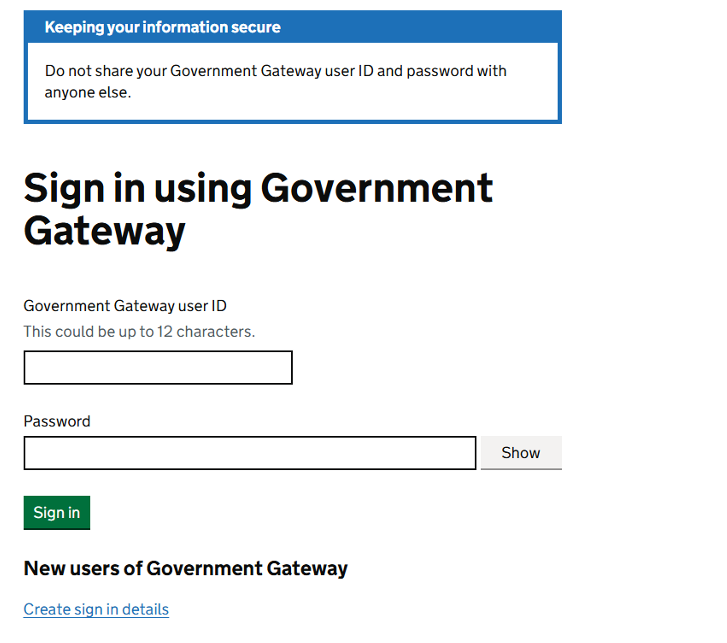
Click “Create sign in details”.
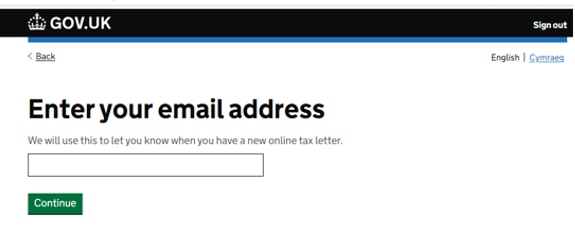
Enter Email Address
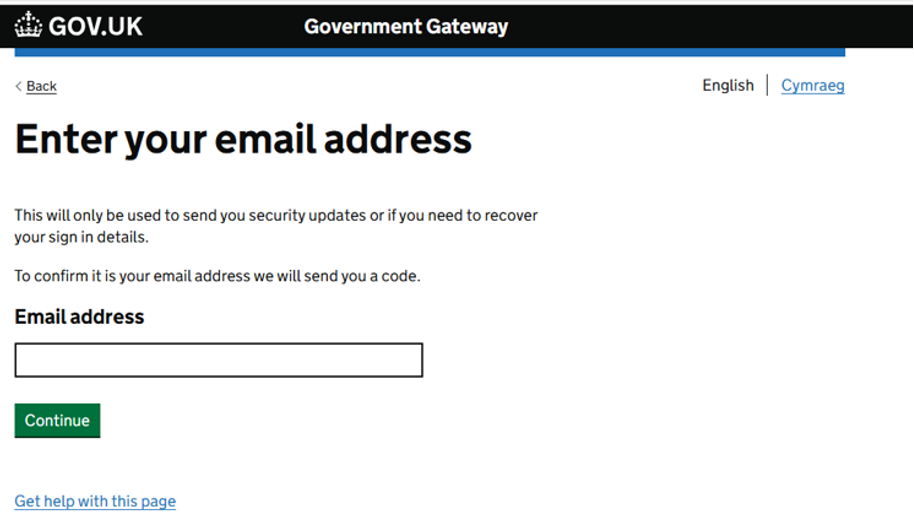
Enter your email address. This should be a personal email address.
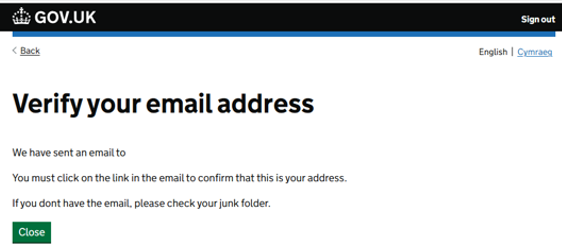
Confirm Email
You will be asked to enter the code sent to the email address you have just entered. This expires within 30 minutes of delivery so needs to be done immediately.
Once you enter the code, a confirmation screen will appear. Click “Continue”.
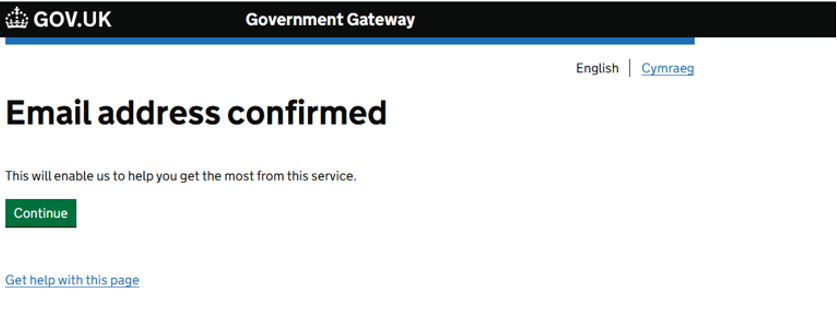
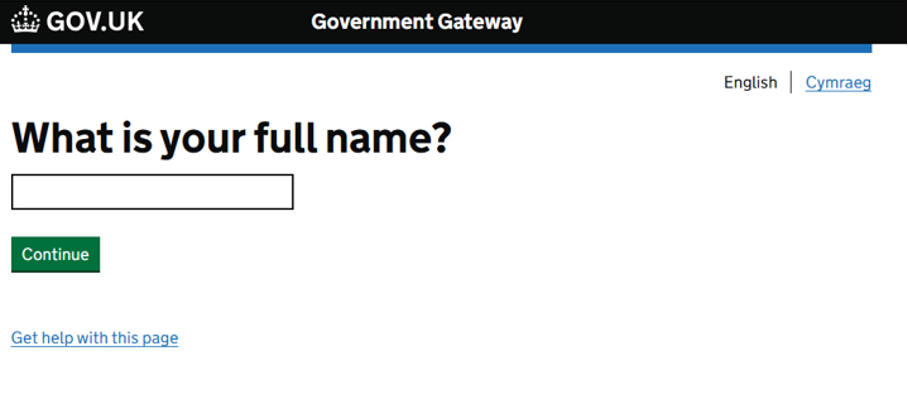
Enter Full Name
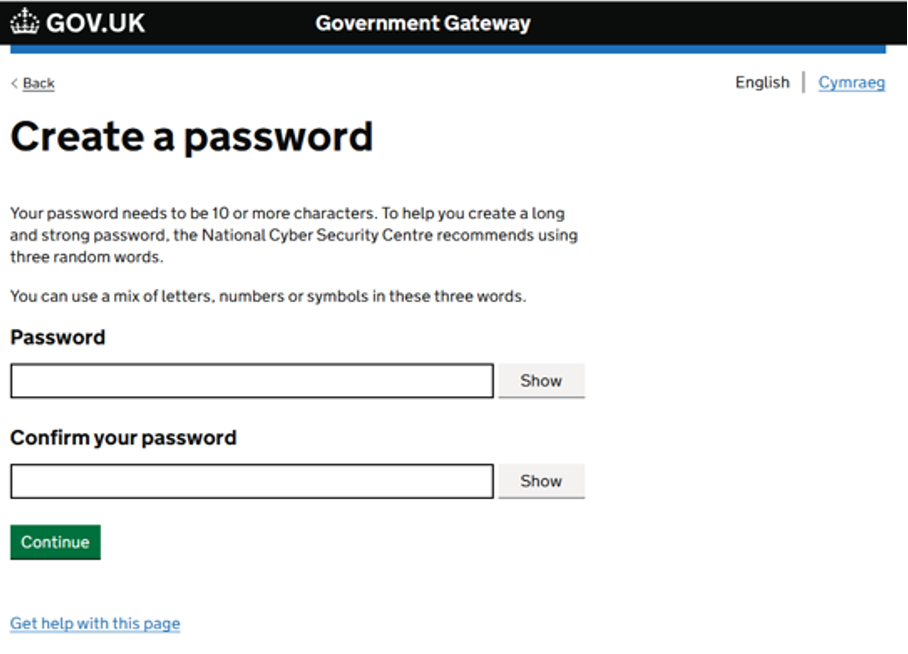
Create Password
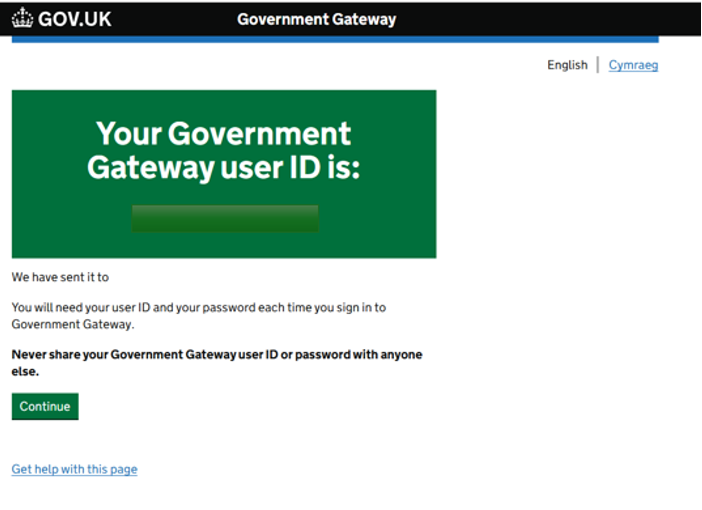
Receive User ID
You will be given your Government Gateway user ID, which will be needed every time you log in. This will also be sent to your email address.
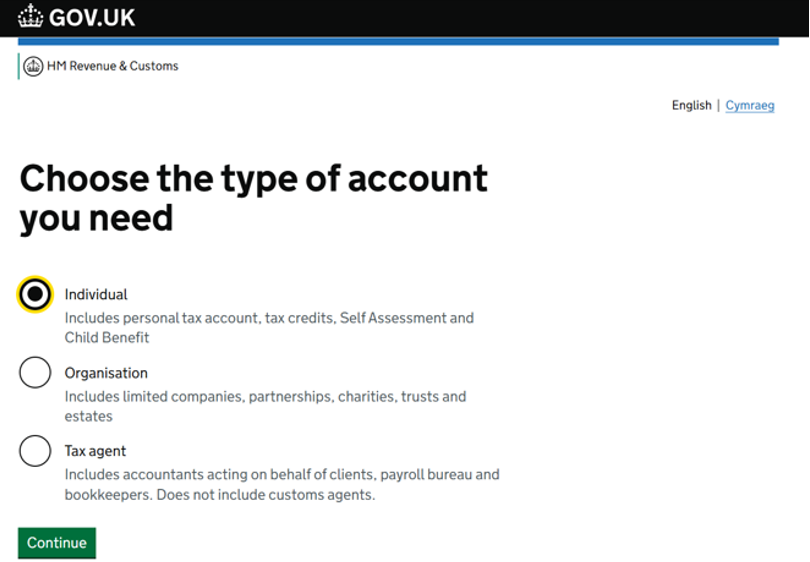
Select Account Type
Select “Individual”.
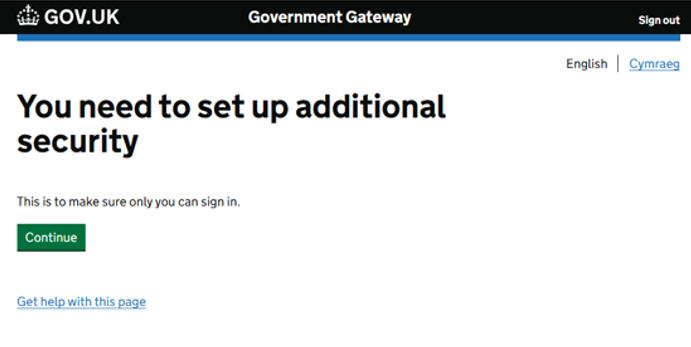
Additional Security
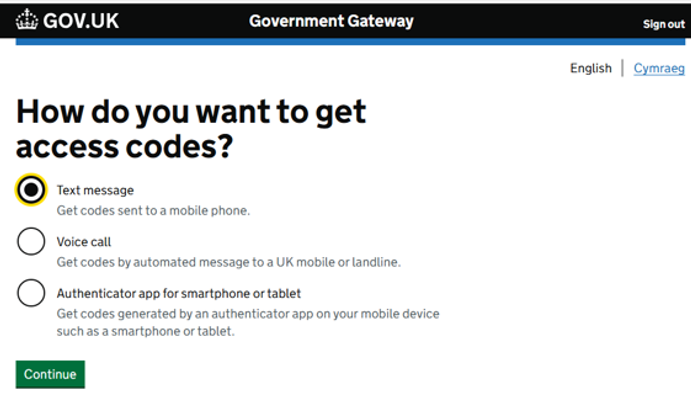
You will need to set up additional security. Choose the best method for you; we have opted for ‘text message’ within this guide.
Mobile Number & Access Code
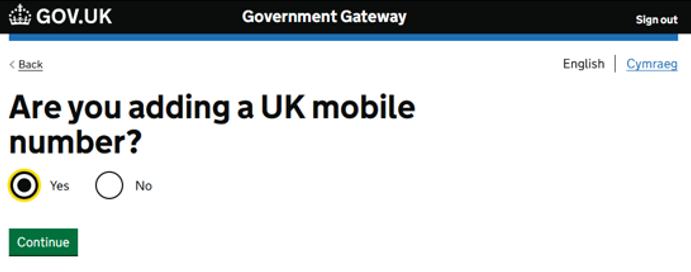
Confirm you are adding a UK mobile number and enter it.
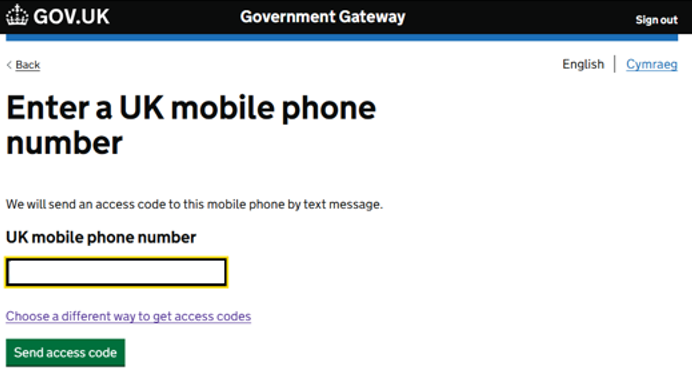
You will receive a text message with an access code. Enter the code.
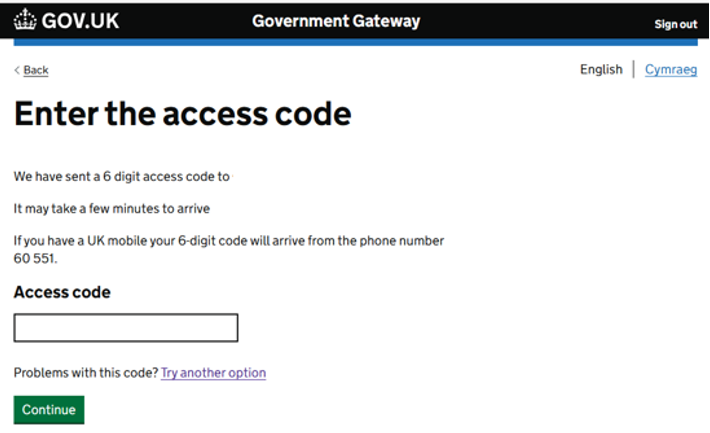
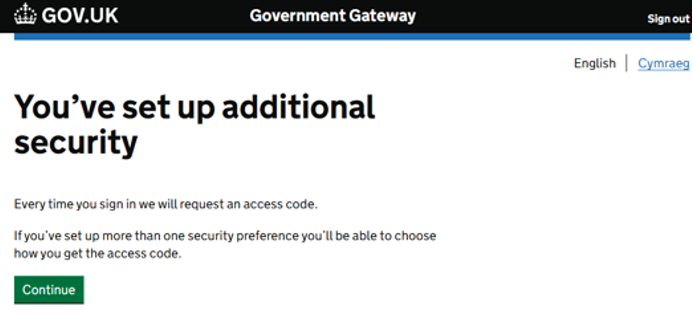
Personal Details
You will then need to provide your personal details. If you do not have a National Insurance number or do not know it, you can still proceed using your postcode.
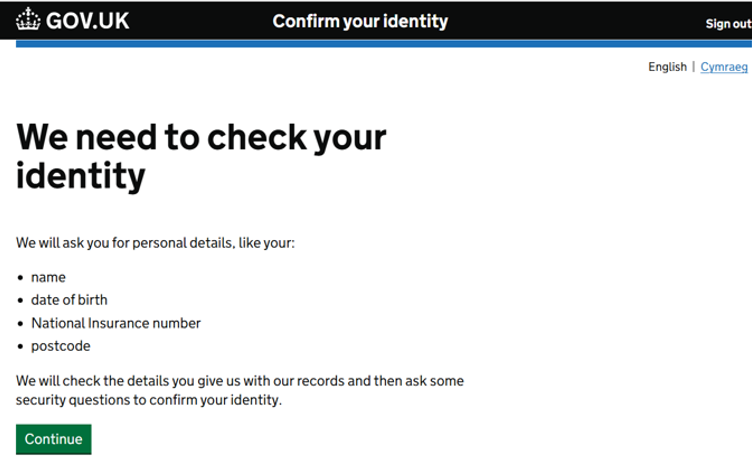
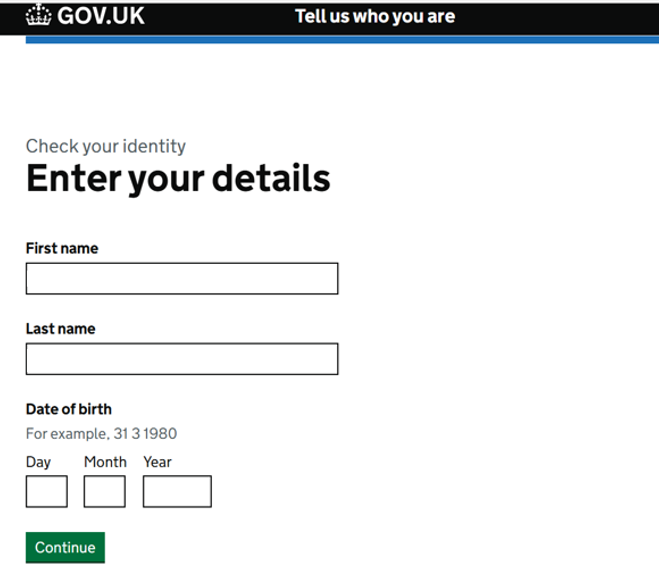
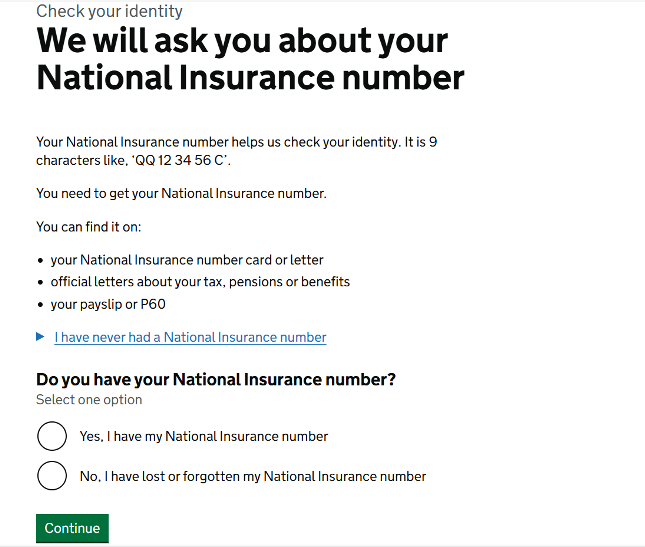
If you do not currently have a NI number then follow the steps below regarding postcode:
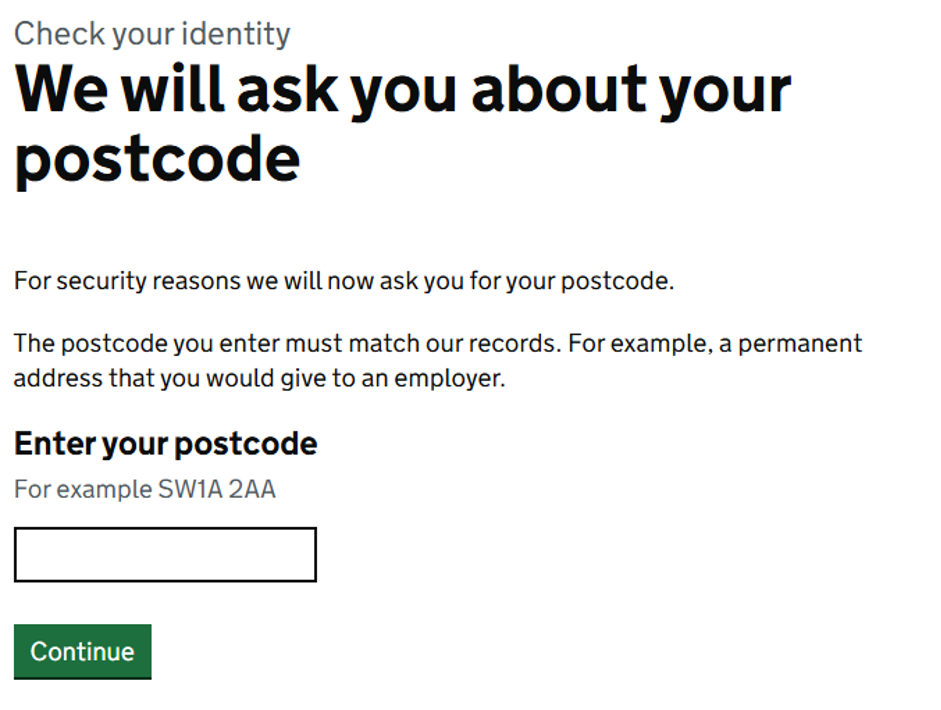
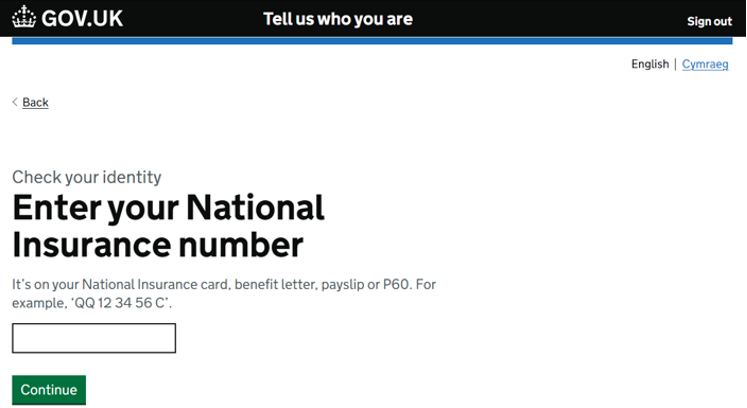
Confirm Identity
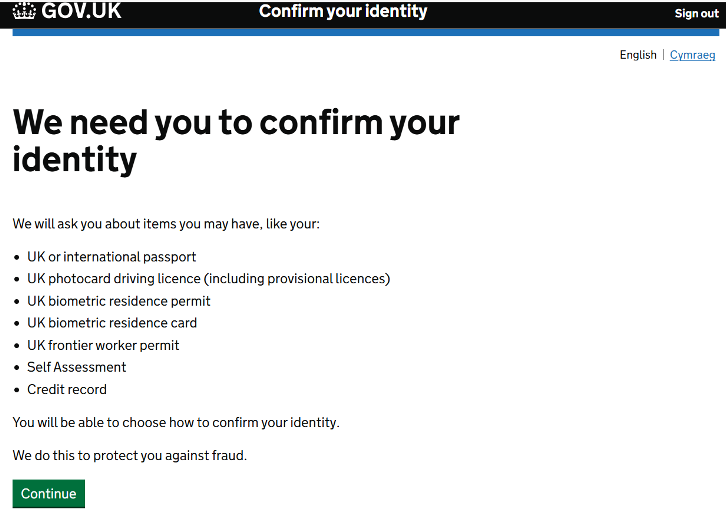
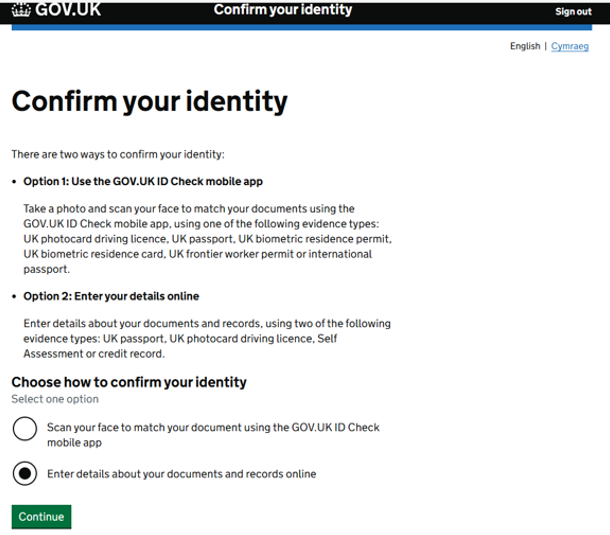
You will then need to confirm your identity. You may use option 1 (App) but we have chosen option 2 (Online) for this guide.
Choose Identity Method
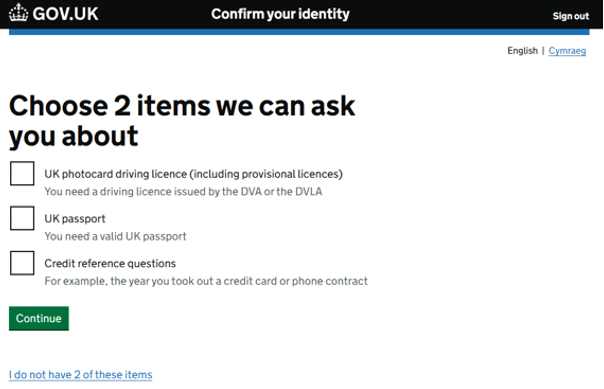
Select Documents
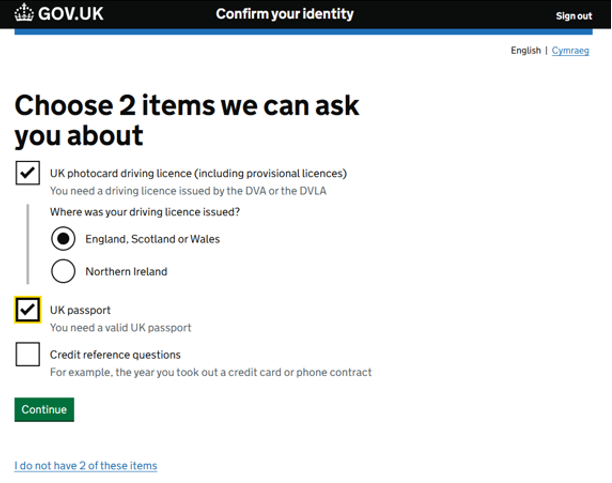
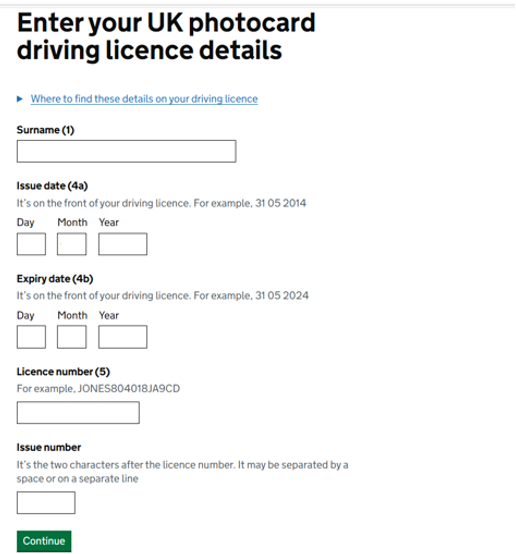
Choose the two items that suit you. We have gone with UK photocard driving licence and UK passport.
Driving Licence Details
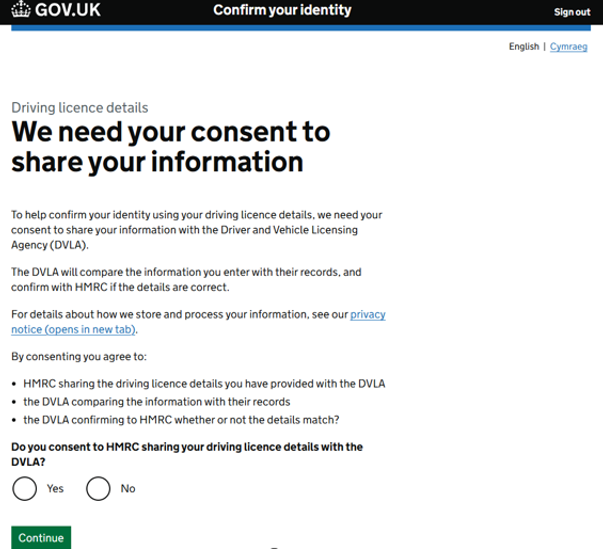
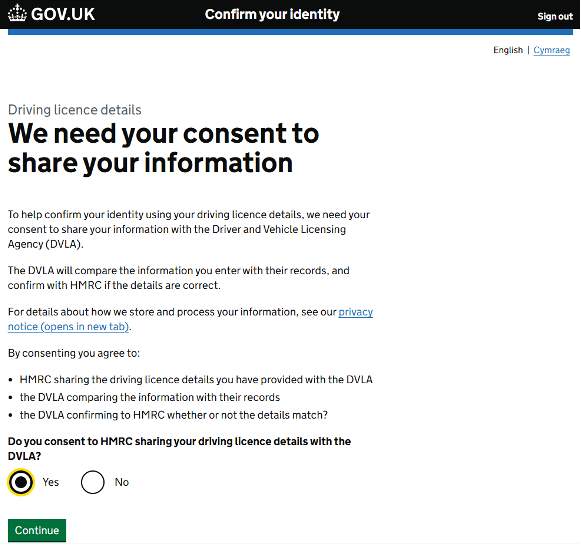
So HMRC can confirm your details, you will need to consent to them sharing your details with the DVLA.
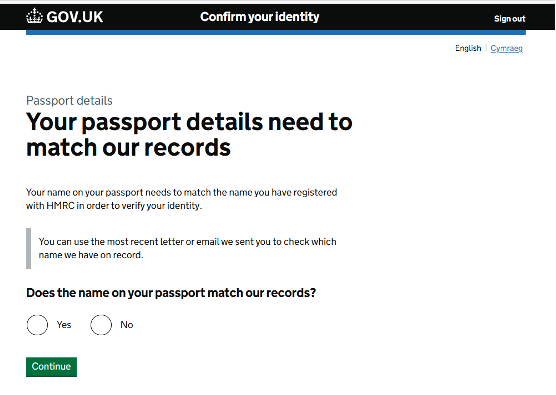
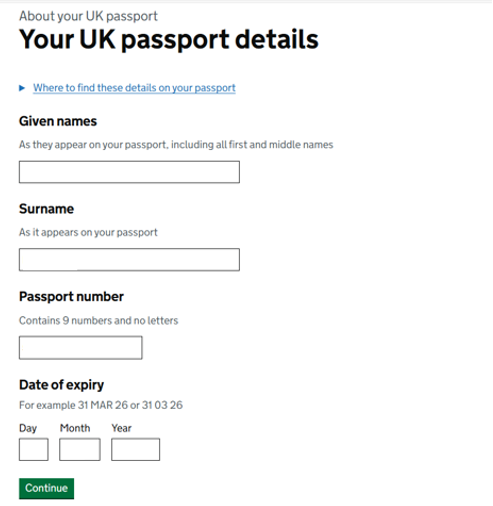
Passport Details
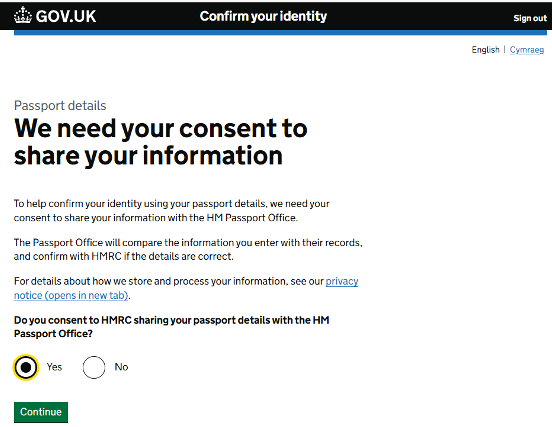
You will also need to consent to HMRC sharing your passport details with the HM Passport Office. Click “Yes” to continue.
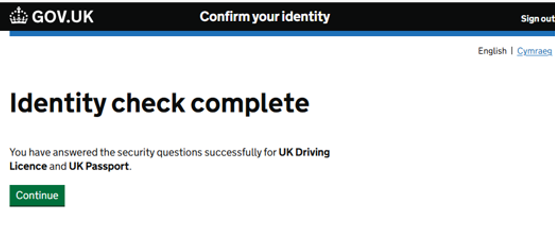
Identity Check Complete
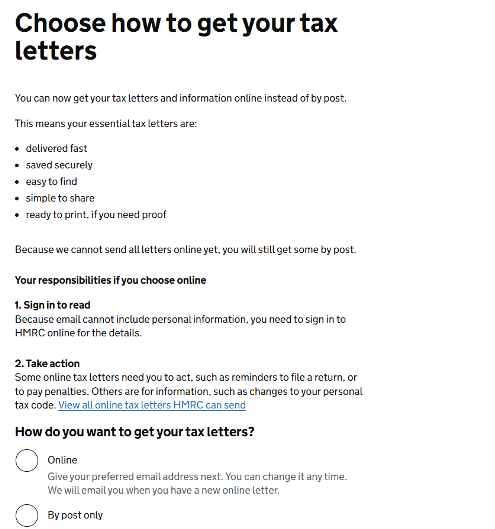
Tax Letters Preferences
Delivery Preferences
Choose your preferred method of receiving your tax letters.
Registration Complete
Once your email is verified it takes you into your account. The process is now completed and you can sign into your account using the login details you have already created.
Using your Personal Tax Account
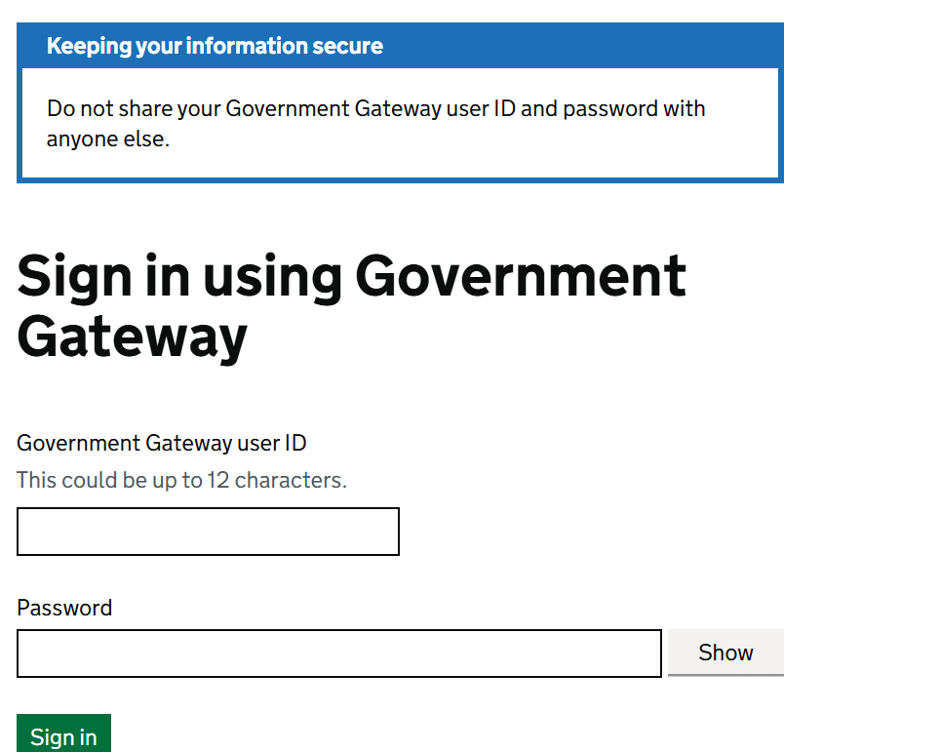
Sign into your account – using the same website address as for registration: Personal tax account: sign in or set up - GOV.UK
View Pay As You Earn (PAYE)
Click the highlighted box (or previous years if appropriate).
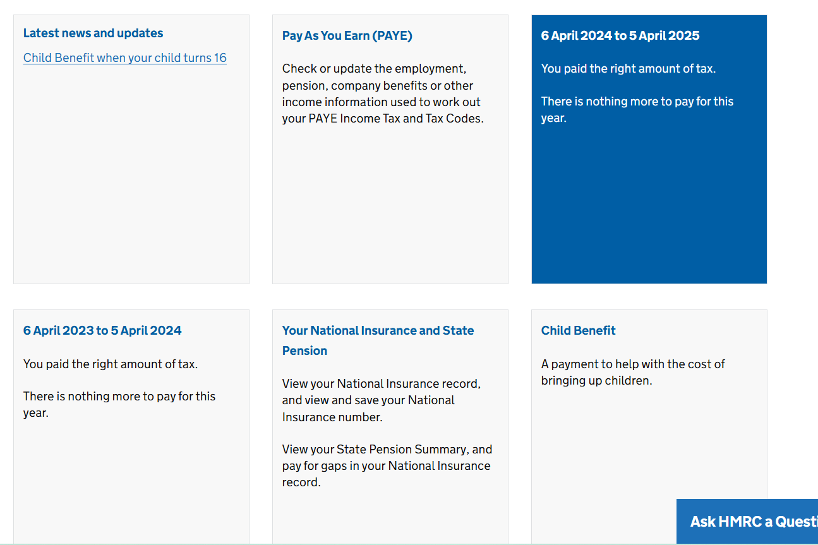
Then click “Check your Income Tax summary for…” and the year you have chosen.
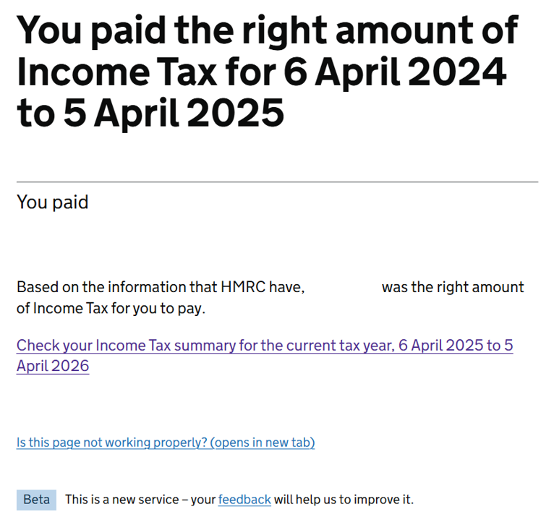
Review Earnings
All of your engagements for the tax year you have selected, and your earnings for these should be detailed below.
Note: The site refers to ‘employments’ but this is a generic term here and can include any engagements under a contract for services where your earnings are also liable to deduction of PAYE, such as with Hypay.
If the details do not match your payslip records we recommend that you get in touch with your engager if you believe the details are not correct.